
- Start the SQL Server Management Studio Express
- Logon to the SQL Server (Windows Authentication is okay providing you are an administrator on the machine)
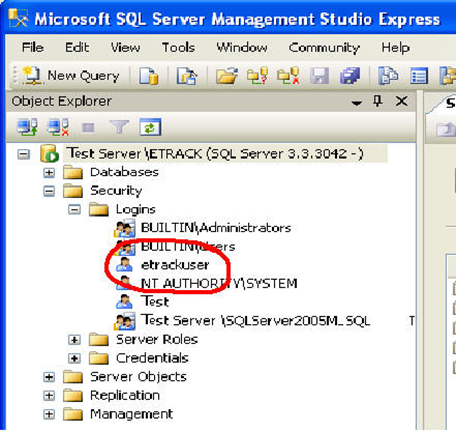
- Expand Security Logins and right click on eTrackuser and select properties
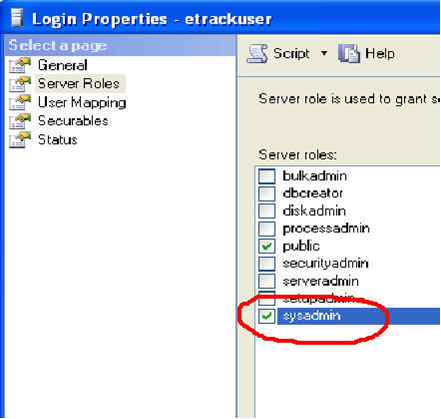
- Select Server Roles from the select a page panel and ensure that SysAdmin role is ticked (see below)
- Having done this you will be able to start eTrack and login without any problems. If you still have login problems please send through the error details using the Send to eTrack function that way we will get the whole error and know how to resolve it.
